




Spin up a fresh VPS and check the auth log an hour later. It's already full of bots hammering SSH, which is why we lock a new box down before deploying anything, and it's five moves: a normal sudo user instead of root, SSH keys with passwords off, a default-deny ufw firewall opening only the ports we actually serve, fail2ban for the brute-force noise, and automatic security updates. Ten minutes of work, give or take. The one rule that saves your afternoon: set the key up and test it before you disable passwords, or you'll lock yourself out of your own machine.
The short answer
A sudo user instead of root, SSH keys with passwords off, a default-deny ufw firewall in front, fail2ban, and automatic security updates. Set up and test the key before you disable passwords. That’s the whole trick.
A user, keys, and no more root login
Every bot on the internet tries root first. It’s also the account where a typo has no safety net, so we make a normal user with sudo and work from that instead:
adduser deploy
usermod -aG sudo deploy
Log back in as deploy and check that sudo whoami returns root. From here on, root is something we reach through sudo, not a door left open.
A password can be guessed. A key can’t, not in any timeframe that matters. If you don’t have one yet, our guide to ssh-keygen covers it. Copy your public key up to the new user:
ssh-copy-id deploy@your-server-ip
Now the careful part. Open sudo nano /etc/ssh/sshd_config, set PasswordAuthentication no and PermitRootLogin no, then reload SSH:
sudo systemctl reload ssh
Before you close anything, open a second terminal and confirm a key login works. That spare session is your seatbelt. Fat-fingered the config? You can still get back in and fix it.
A default-deny firewall, plus fail2ban
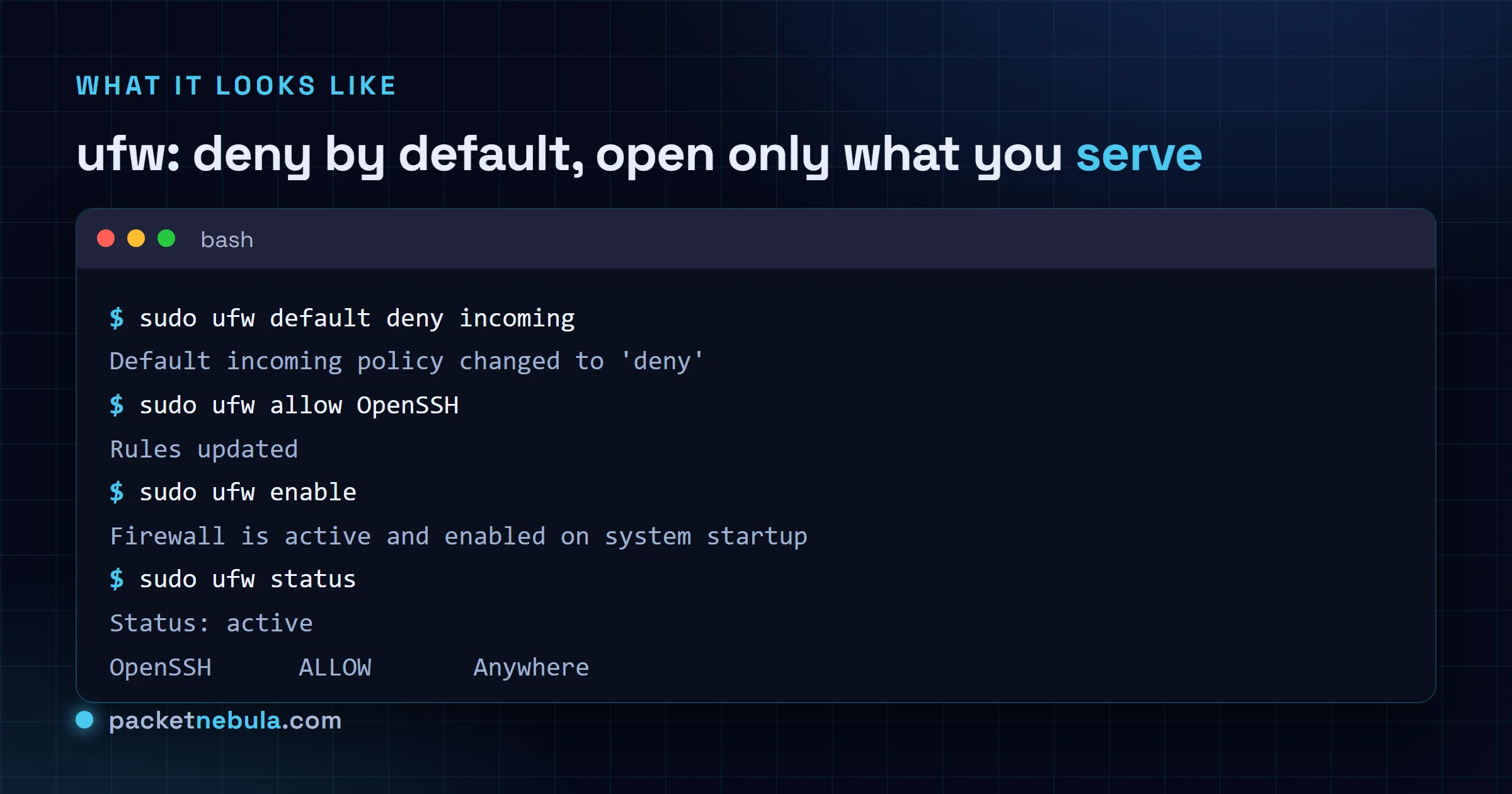
ufw makes this painless. We deny everything inbound, then open only the ports this box actually serves. Allow SSH first, before enabling, or you cut your own connection:
sudo ufw allow OpenSSH
Add 80 and 443 if it serves a site, then turn it on:
sudo ufw enable
Even with passwords off, the login attempts keep coming. They fill your logs. fail2ban watches them and bans an IP after a handful of failures, and on Ubuntu it protects SSH the moment it’s installed:
sudo apt install fail2ban
Want to tune the ban time or threshold? Copy the packaged defaults into /etc/fail2ban/jail.local and edit there, never the original. Honestly, for most boxes we don’t touch them.
Automatic updates, and why the order matters
Patches only help if they land, and nobody logs in every day to run them by hand. We certainly don’t. unattended-upgrades installs security updates on its own:
sudo apt install unattended-upgrades
sudo dpkg-reconfigure -plow unattended-upgrades
Answer yes when it asks. The box now patches itself against the vulnerabilities bots weaponise within days of disclosure.
None of these steps is hard on its own. People lose an afternoon by doing them out of order: passwords off before the key works, or the firewall on before SSH is allowed. Follow the order above and keep that second terminal open through the SSH change. About ten minutes, and a fresh VPS goes from wide open to quietly locked down.
The one rule that saves you from locking yourself out: never close the session you’re working in. Open a second terminal, log in as the new user with the key, and prove it works before you touch PasswordAuthentication or restart sshd from the first session. If something is wrong you still have a shell to fix it from.
Order matters for the firewall too. Allow SSH before you enable ufw, not after, because ufw enable takes effect immediately and a default-deny policy with no SSH rule ends your connection on the spot. The provider console is your only way back in at that point, and on some hosts that’s genuinely painful.
sudo ufw allow OpenSSH && sudo ufw enable
If you moved sshd to a non standard port, allow that port by number instead. The OpenSSH profile only covers 22, and plenty of people have discovered that the hard way about four seconds after typing enable.
None of this is exotic, and that’s rather the point. A box that’s done these things isn’t secure in any absolute sense, but it’s stopped being the easy target that opportunistic scanning is looking for, and that’s most of the battle on a small server.
Frequently asked questions
Will I lock myself out doing this?
It's the real risk, and it's avoidable. Before you disable password login, open a second terminal and confirm a key login works. Keep that session open while you edit sshd_config and reload SSH; if something's wrong you still have a way back in. Only close it once a fresh key login works on its own.
Do I need to change the SSH port?
Optional, and mostly cosmetic. Moving SSH off 22 quiets your logs because most bots only probe the default, but that's obscurity, not protection. Keys with passwords disabled plus fail2ban do the actual work. Change the port if the calmer logs are worth it to you, not because you think it makes the box safe.
Is fail2ban still worth it if passwords are already off?
Less critical, sure, but it's cheap and we keep it on. With key-only SSH a brute force can't succeed anyway, so there fail2ban is mostly trimming log noise. It earns its keep guarding whatever else you expose later, and it costs almost nothing to run.
PermitRootLogin: should it be no or prohibit-password?
Use no once your sudo user works; root then can't log in over SSH at all. prohibit-password is the middle ground: root can still log in with a key but never a password, which some automation depends on. If nothing needs direct root SSH, no is the cleaner choice.