




A free, local SSH, serial and Telnet terminal for network engineers.
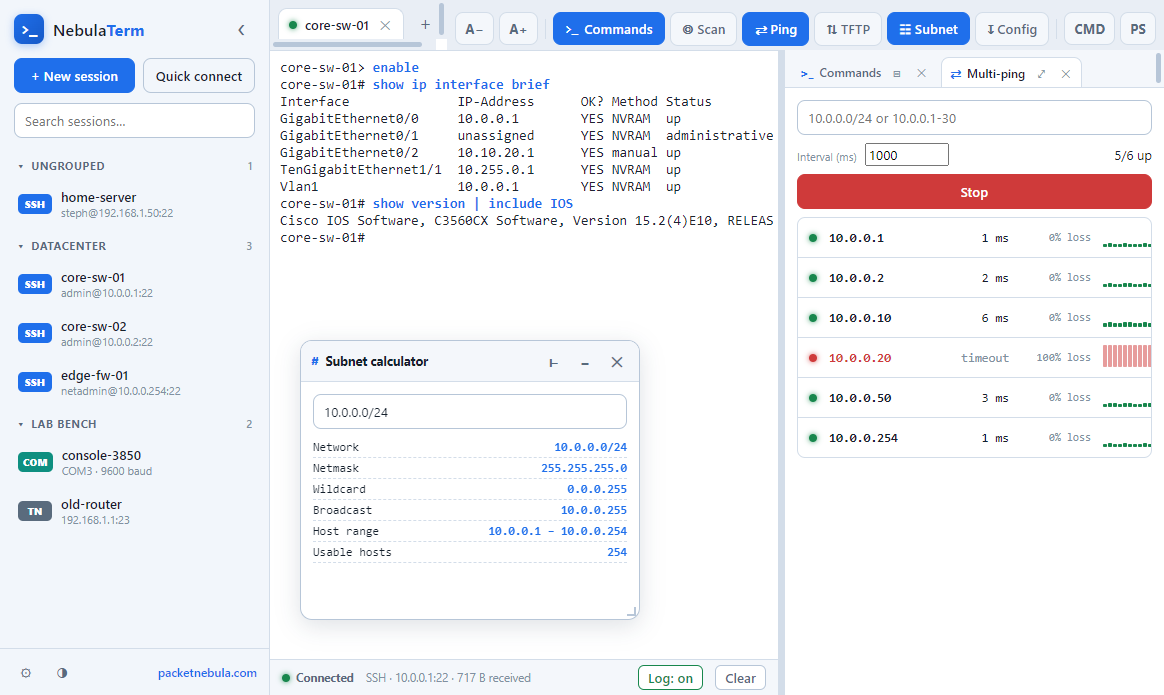
NebulaTerm is a free, fully local terminal that puts SSH, a serial console and Telnet in one window, with an encrypted session manager, and it never phones home. We built it because the everyday reality of network work means juggling a console cable to a switch, an SSH session to a server and the odd Telnet box, and we wanted all of that in one modern app we actually own rather than rent. It runs on Windows, it is open source under MIT, and there is no account, no cloud and no telemetry. Download it, point it at a device, and the commands you type are highlighted so they stand out from the device's own chatter. Here is what it does, and where to get it.
Free · Open source (MIT) · Windows 64 and 32 bit · Installer or portable · No telemetry
Three protocols, one window
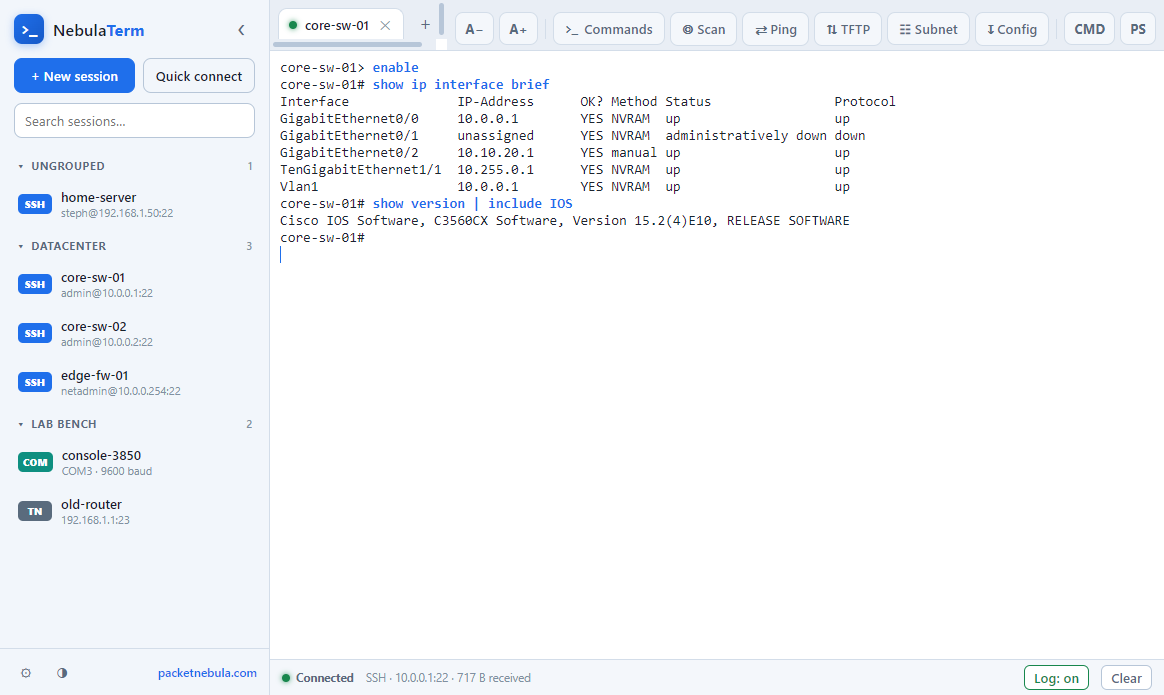
SSH (password or key), a serial console (any COM port and baud rate) and Telnet all live in the same tabbed window, so the switch on your bench and the server in the rack are two tabs apart, not two apps apart. The session manager keeps them organised in folders with tags and search, and the credentials are encrypted on disk with Windows DPAPI, never stored in plain text and never uploaded anywhere.
It talks to the gear newer clients refuse
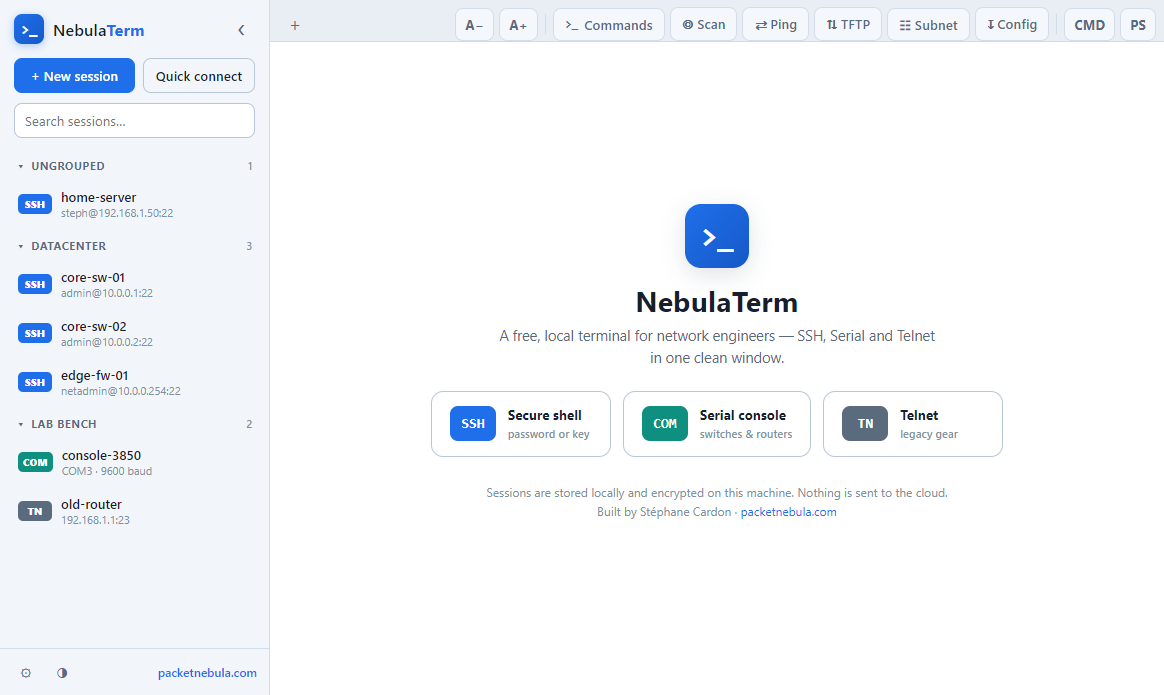
Older switches and routers often speak SSH key-exchange and cipher algorithms that modern clients have dropped for security, which is correct in general and infuriating when you just need to fix a ten-year-old access switch. NebulaTerm keeps those legacy algorithms available, so it negotiates with the old Cisco, Huawei, Juniper, Arista and MikroTik devices that otherwise close the door. Typed commands are highlighted in blue so your input is easy to pick out of the device's output, every session is logged automatically, and there is a light and a dark theme, in-terminal search, copy-on-select and right-click-to-paste.
A cheat-sheet that knows the vendor
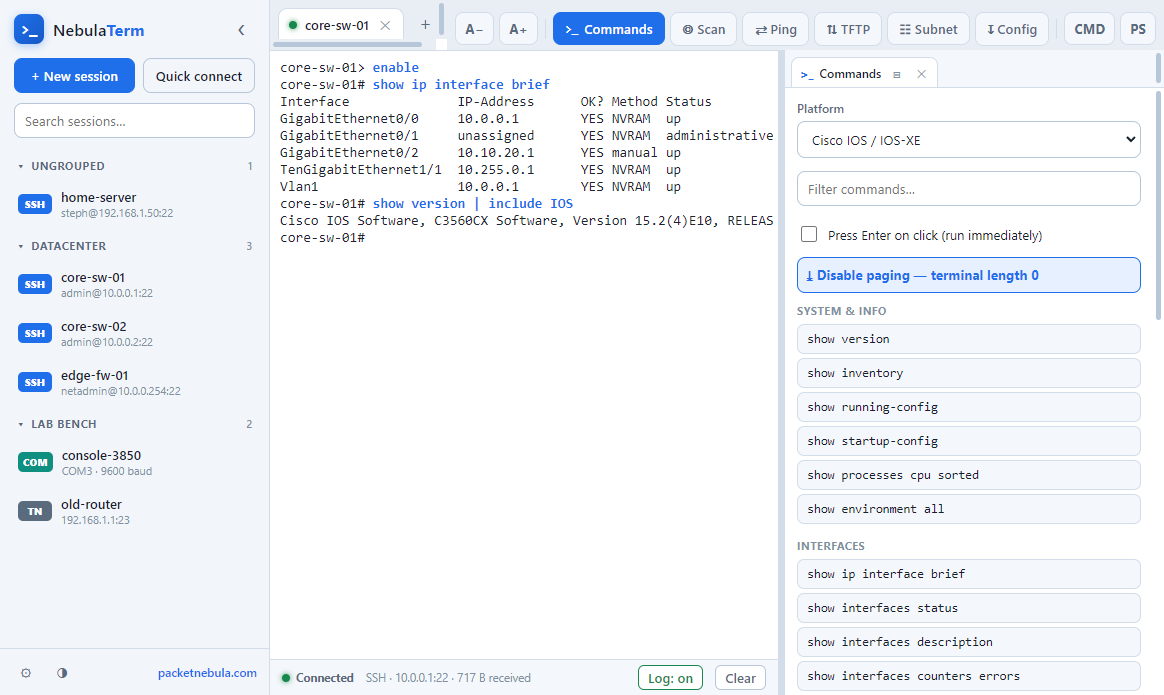
Nobody remembers every vendor's verb. NebulaTerm ships a command cheat-sheet grouped by manufacturer, so the Cisco show family, the HPE and Huawei display commands, and the Juniper, Arista, MikroTik and Linux equivalents are one click away instead of one search away.
A toolbox that docks where you want it
The real time-saver is the toolbox you can dock beside the terminal or float onto a second monitor. It carries a TFTP server for backing up and restoring configs and firmware images, a multi-ping that takes a whole range (CIDR or mask) and shows latency, loss and a per-host sparkline, an IP scanner, and a subnet calculator built right in. There is also the line-by-line .cfg injection mentioned above, paced so a slow 9600 baud console does not drop a single line, with verification as it goes.
That subnet calculator is the same math our browser subnet calculator does, so if you are at someone else's desk without the app, the web version is a click away. The MAC vendor lookup and the wildcard mask converter cover the other two questions that come up mid-console: whose device is this, and what is the inverse mask for that ACL.
Why we made another terminal
Honestly, because the gap was real. The free options for this kind of work tend to be dated, the genuinely powerful ones cost money for professional use, and the modern, good-looking ones moved into the cloud behind a subscription and an account. We wanted one app that is free, local, modern and open, and that does SSH and serial properly in the same place. That is NebulaTerm. No account, no upsell, no data leaving your machine.
Download
Everything is on the v1.0.0 release page: the 64-bit installer (NebulaTerm-Setup-1.0.0-x64.exe), the 32-bit installer (-ia32.exe), and portable builds if you would rather not install at all. On first run, Windows SmartScreen may warn you because the build is not code-signed yet: click More info, then Run anyway. The source is on GitHub under the MIT license if you prefer to build it yourself.
Frequently asked questions
Is NebulaTerm really free?
Yes, free and open source under the MIT license. There is no account, no trial timer and no paid tier; the full source is on GitHub, so you can read it or build it yourself.
Does it run offline, and does it send my data anywhere?
It is fully local. No cloud, no telemetry, nothing leaves your machine. Saved sessions and credentials are encrypted on disk with Windows DPAPI, and you can run it with the network unplugged for serial console work.
Can it connect to old switches and routers?
Yes, that is one reason we built it. NebulaTerm keeps the legacy SSH key-exchange and cipher algorithms that many newer clients dropped, so it still negotiates with older Cisco, Huawei, Juniper and similar gear that otherwise refuses to connect.
Does it do a serial console on COM ports?
Yes, and it is a core feature, not an afterthought. Pick the COM port and baud rate and you get a console session in a tab, right next to your SSH and Telnet tabs. It also injects a .cfg file line by line, paced so nothing drops at 9600 baud, with verification.
Why does Windows SmartScreen warn me when I install it?
Because the installer is not code-signed yet, not because anything is wrong with it. Click "More info" then "Run anyway". If you would rather trust nobody, the source is public on GitHub and you can build the app yourself.