
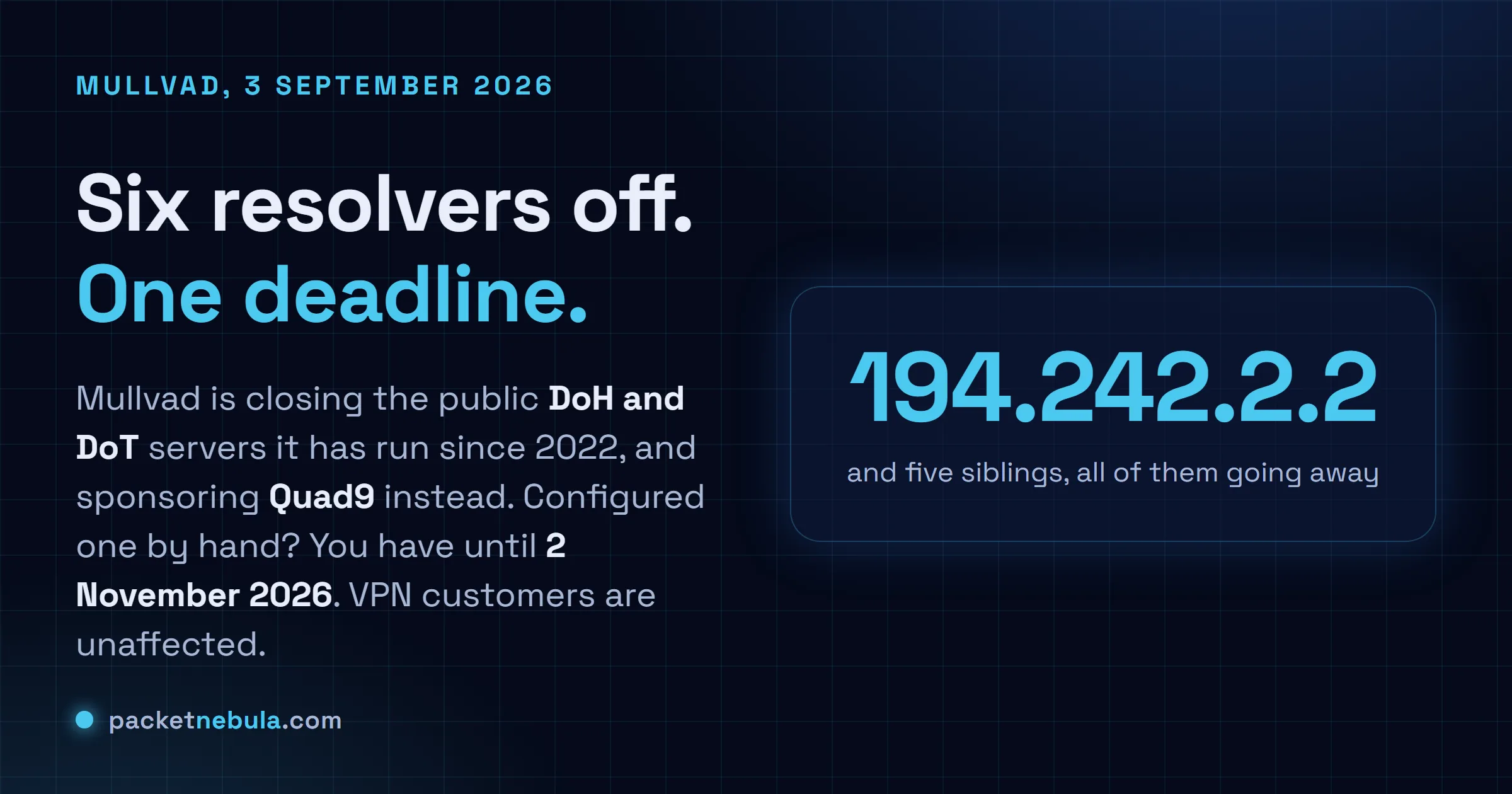
There's a line in a router config somewhere with 194.242.2.2 in it, and whoever typed it has long since forgotten. Mullvad announced on 3 September that it's closing the public encrypted DNS servers it has run since 2022, and putting the money behind the Quad9 Foundation instead. The date that matters is 2 November 2026. After that, six addresses stop answering, and anything still aimed at them falls back to whatever the operating system treats as a spare resolver, which on plenty of machines is the internet provider you were trying to keep out of the loop. We read both providers' documentation, because the swap looks like a one line change and it isn't quite.
The short answer
Mullvad's six public resolvers, 194.242.2.2 through 194.242.2.9, go dark on 2 November 2026. If you configured one by hand, over DoH or DoT, you need a different address before then. Quad9's 9.9.9.9 is where Mullvad points you, and it validates DNSSEC and blocks domains its threat feeds mark as malicious. What it won't do is block advertising, and five of the six Mullvad endpoints did.
What actually goes away on 2 November
Mullvad ran the whole service on one prefix, with the filtering decided by which address you picked. 194.242.2.2, dns.mullvad.net, filtered nothing. 194.242.2.3 was the adblock variant, blocking ads and trackers. .4 added malware to that, .5 added social media, .6 swapped in adult content and gambling, and .9 turned on every list at once. Each variant answered DoH on port 443 and DoT on port 853 under a matching hostname, so a browser profile and a systemd-resolved drop-in could be pointed at the same behaviour.
Two groups have to do something. Anyone who typed one of those addresses or hostnames into a router, a resolver config or a browser, and anyone running Mullvad's iOS or macOS DoH profile, which Mullvad says will simply stop working and needs replacing with Quad9's equivalent. Mullvad's own help page now carries the discontinuation notice at the top of the DoH table, which is a decent sign they expect people to arrive there confused.
Mullvad Browser users on defaults get moved to Quad9 automatically, the bundled ad blocking option included. If you'd switched that browser to base, extended or family by hand, Mullvad asks you to put it back to the default yourself. Slightly odd request, until you realise the automatic migration only knows how to move the settings it shipped.
And the group that doesn't care at all: Mullvad VPN subscribers. The app has always resolved through its own internal DNS inside the tunnel, so none of the public addresses were ever in play. That difference got flattened in a fair bit of the coverage, and it's the gap between a support ticket and a nothing.
Quad9 takes the queries, not the blocklists
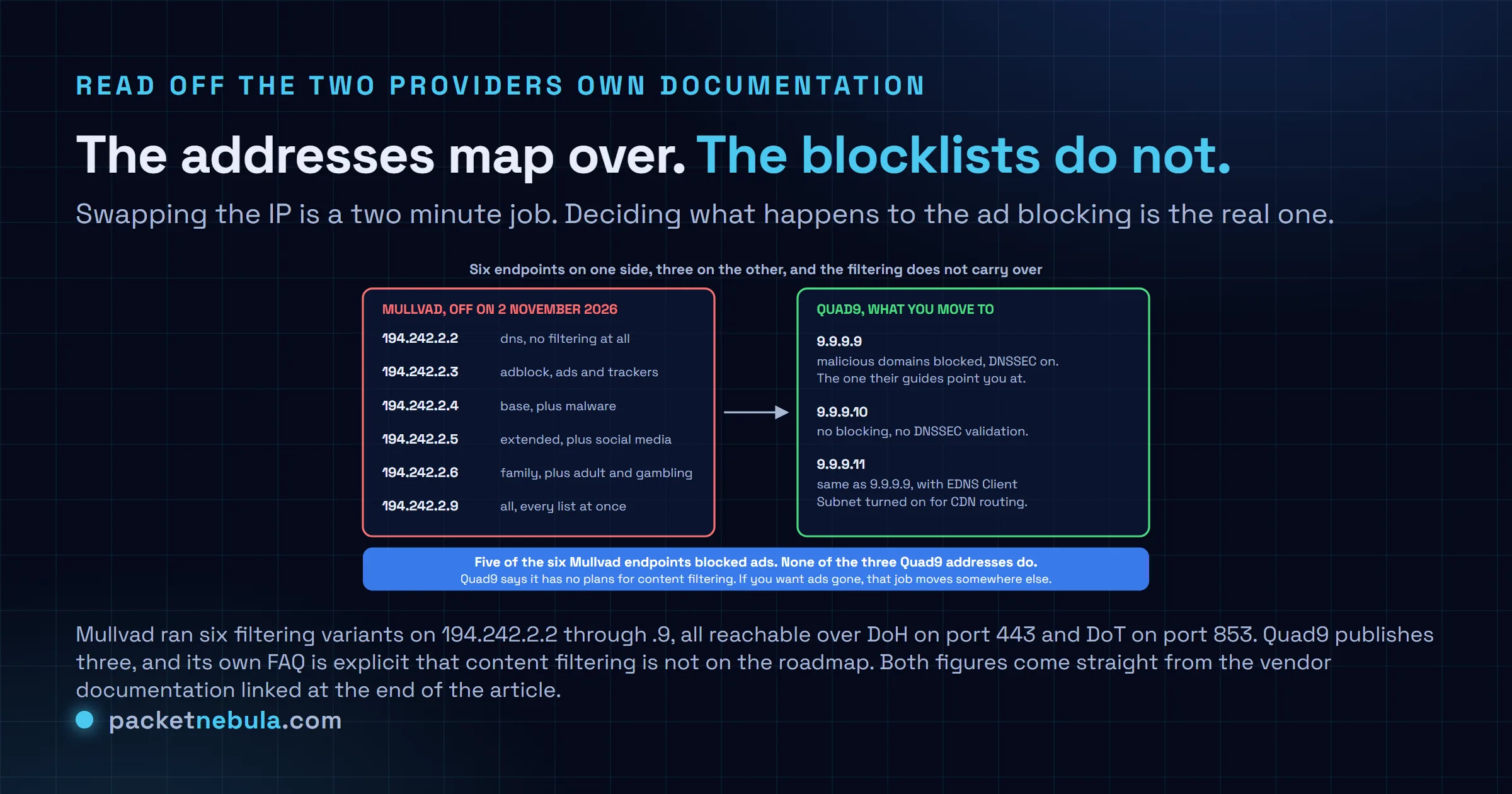
Quad9 publishes three services. The recommended one is 9.9.9.9 with 149.112.112.112 as its second address, reachable over DoH at https://dns.quad9.net/dns-query and DoT at dns.quad9.net. It validates DNSSEC and it blocks domains its threat feeds flag as malicious. 9.9.9.10 does neither, for anyone who wants a plain recursive resolver with nothing in the way. 9.9.9.11 behaves like 9.9.9.9 but sends EDNS Client Subnet, which buys better CDN routing at the price of handing the authoritative server a truncated version of your network address.
Now the part worth reading twice. Quad9's FAQ states it has no plans to provide content filtering, and that its scope is malicious domains such as phishing and malware. Advertising isn't in that scope, and neither are trackers. Five of Mullvad's six endpoints blocked both. So if you were on adblock, base, extended, family or all, and most people who go to the trouble of configuring DoH by hand were on one of those, moving to 9.9.9.9 quietly switches your ad blocking off. Nothing breaks. Pages just get busier three weeks later, and nobody connects it back to the DNS change.
There isn't a like for like replacement, and I'd rather say that plainly than pretend otherwise. If the filtering was the point, you're choosing between a resolver that sells content blocking as a product and running your own forwarder with a blocklist, pointed at Quad9 over DoT. We do the second, and it's more work than it sounds on day one and much less than it sounds after that. If the encryption was the point and the ad blocking was a bonus you'd half forgotten about, then 9.9.9.9 is a straight swap and you're finished in two minutes.
Find every place that address is written down
The awkward part of this migration isn't the change, it's the inventory. Encrypted DNS addresses end up in places nobody documents: a router's WAN page, a resolver drop-in file, a browser profile, a phone's private DNS field, a macOS configuration profile installed in 2023 by somebody who has since left. Grep is the fastest first pass on Linux, and it catches the config files that resolvectl will never mention.
grep -rn 194.242.2 /etc/ 2>/dev/null
Then look at what the resolver stack is actually doing, which is not always what the files say. On a systemd box this prints the servers in use per link, and whether DNS over TLS is switched on:
resolvectl status
Windows keeps the plain servers and the DoH templates in separate places, so list the servers per interface first and work outwards from there:
Get-DnsClientServerAddress -AddressFamily IPv4
Once you've switched, confirm the new one answers before you close the ticket. Boring, and it catches the case where a firewall rule allowed 194.242.2.0/24 outbound and nothing else:
dig @9.9.9.9 example.com +short
Browsers hold their own setting and ignore the system one, so Firefox's Privacy and Security pane and Chrome's secure DNS option both need checking separately. Android's private DNS field wants a hostname rather than an address, so dns.quad9.net goes there. If you'd rather see what a resolver returns for a domain before touching your own config, our DNS Lookup tool does it in the browser and reports the TTL on every record. That TTL decides how long stale answers hang around after any change you make, and we wrote up what DNS TTL actually controls if that part is fuzzy. For the command line versions in more depth, there's how to do a DNS lookup from the command line.
Sources
Mullvad, Shutting down our public encrypted DNS servers and sponsoring Quad9 instead, 3 September 2026 (the announcement, the 2 November date, the browser and profile handling). Mullvad, DNS over HTTPS and DNS over TLS (the six addresses, the filtering each one applies, and the discontinuation notice). Quad9, Service addresses and features (the three services and what each validates or blocks). Quad9, Frequently asked questions (no plans for content filtering). CyberInsider, Mullvad to shut down public encrypted DNS servers, back Quad9 instead, 4 September 2026.
Update, 7 October 2026. Mullvad's public DNS has six addresses, 194.242.2.2, .3, .4, .5, .6 and .9, not a continuous range from .2 to .9.
Frequently asked questions
Does this affect me if I pay for Mullvad VPN?
No. The VPN app resolves through Mullvad's own internal DNS inside the tunnel, and it has never used the public addresses. Mullvad says as much in the first line of the announcement, which is why they considered the public service redundant for their own customers to begin with. The change only touches people who put 194.242.2.x, or one of the dns.mullvad.net hostnames, somewhere by hand.
What happens on 2 November 2026 if I do nothing?
The addresses stop answering, and what your device does next depends on how it was configured. A system with a secondary resolver falls back to it, which is often whatever DHCP handed out, so your internet provider sees the queries again. A browser set to a custom DoH provider with no fallback tends to fail resolution outright until the setting changes. Either way it's a change you'd rather make on a Tuesday afternoon than discover on a Sunday.
Which Quad9 address should I use?
9.9.9.9, with 149.112.112.112 as the secondary, unless you have a specific reason not to. That pair validates DNSSEC and blocks malicious domains, and it's what Quad9's own setup guides use. Pick 9.9.9.10 if you need a resolver that does no blocking and no validation, and 9.9.9.11 if you care about CDN routing accuracy enough to send EDNS Client Subnet with your queries. Over DoH the URL is https://dns.quad9.net/dns-query, and over DoT the hostname is dns.quad9.net.
Will Quad9 block ads like the Mullvad adblock endpoint did?
It won't. Quad9's FAQ says it has no plans to provide content filtering and that it's dedicated to blocking malicious domains, meaning phishing, malware and exploit kits. Advertising and trackers sit outside that. Five of the six Mullvad endpoints filtered ads, so for most people this migration removes ad blocking as a side effect. Getting it back means a browser extension, or a filtering resolver you run yourself.
Is Mullvad paying Quad9, and does that change anything for Quad9 users?
Mullvad says it's putting the resources it spent running the service into financially supporting Quad9 instead, and no figure is published. Quad9 is a Swiss foundation already funded by donations and sponsorship, so this adds to an existing model rather than creating a new arrangement. Nothing in either announcement points to a change in how Quad9 operates, what it blocks or what it logs.


