
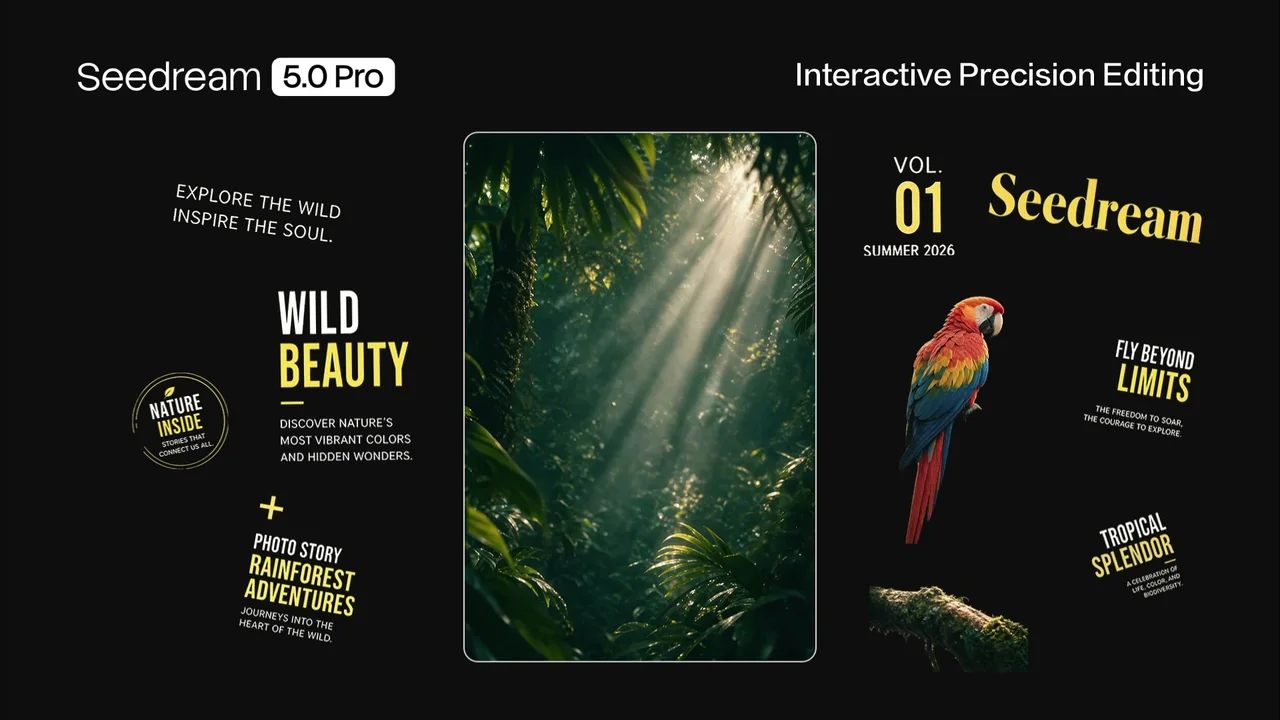
You generate a poster, the headline sits a pixel too low, and normally that means re-rolling the whole thing and praying the rest survives. Seedream 5.0 Pro, which ByteDance shipped on July 8, is built to skip that. It's an image model with one trick that actually matters: ask it, and it splits a finished image into more than ten independent layers, the text on its own, the subject on its own, each exported as a transparent PNG you can drop straight into a real editor. It also renders in-image text across more than ten languages, Arabic included, which is where plenty of image models still faceplant. We spent a while poking at what's confirmed versus what's marketing, because the win-rate numbers are all self-reported so far. Here's the honest read.
The short answer
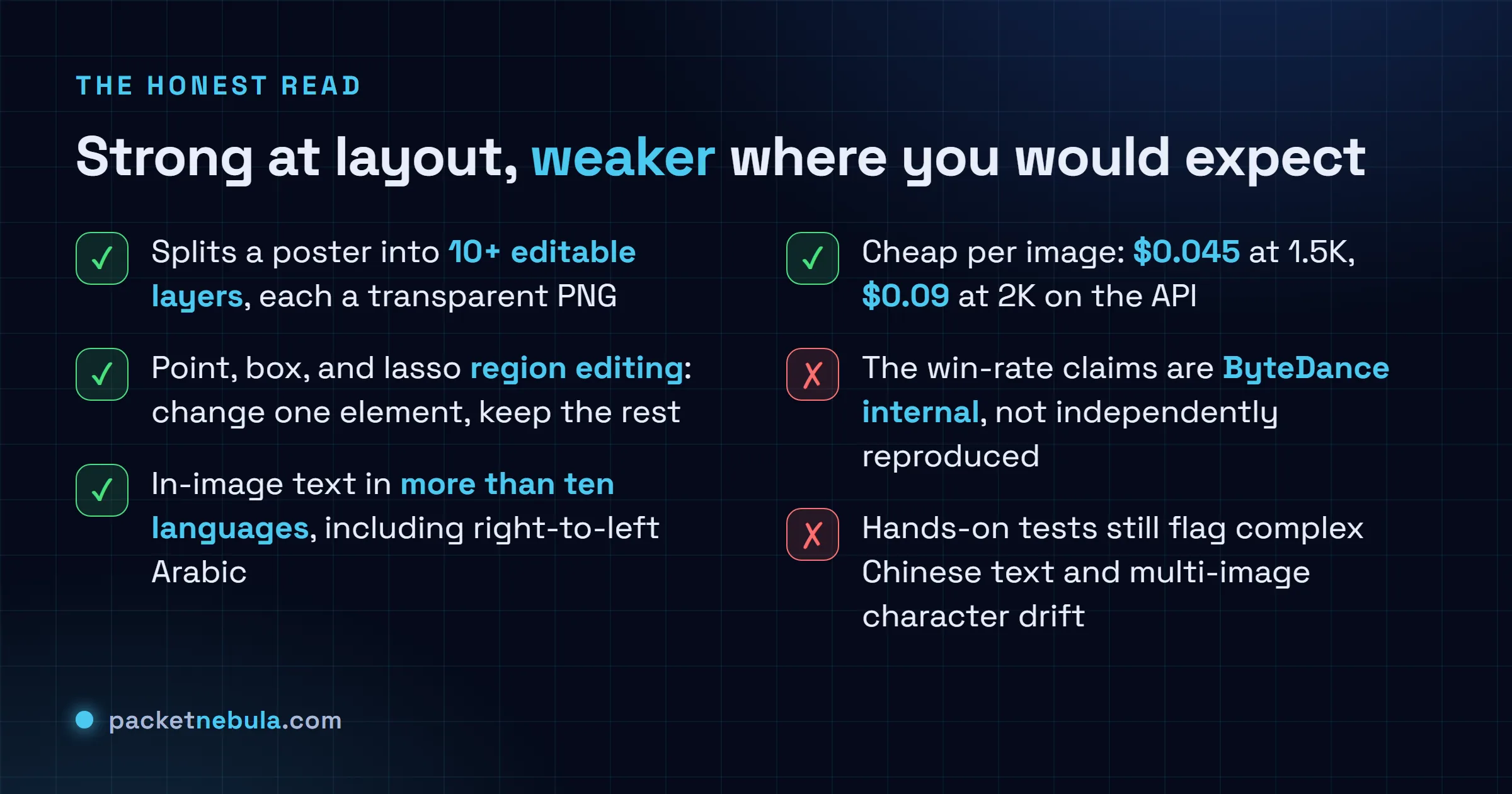
ByteDance shipped Seedream 5.0 Pro on July 8, 2026. The feature that matters isn’t sharper renders, it’s layer separation: ask it and it splits a finished image into 10+ independent, transparent layers you can edit like a design file. It also does region editing (change one element, keep the rest) and in-image text in more than ten languages. The catch: the win-rate claims are ByteDance’s own, and hands-on tests still flag complex text and character drift.
The one feature worth caring about
Most image-model launches are a benchmark chart and a gallery of prettier faces. This one has an actual workflow change buried in it, and it’s the layer thing.
Here’s what it does. You generate an image, a poster, an ad, a dense infographic, whatever. Then you ask Seedream 5.0 Pro to break it apart, and it hands back the same picture as a stack of separate layers: the text as one, the main subject as another, the background peeled off behind them, plus decorative bits. More than ten layers on a busy composition, per ByteDance. Each one exports as a transparent PNG. And when it lifts the subject out, it paints back the background that was hidden underneath, so you don’t get a subject-shaped hole.
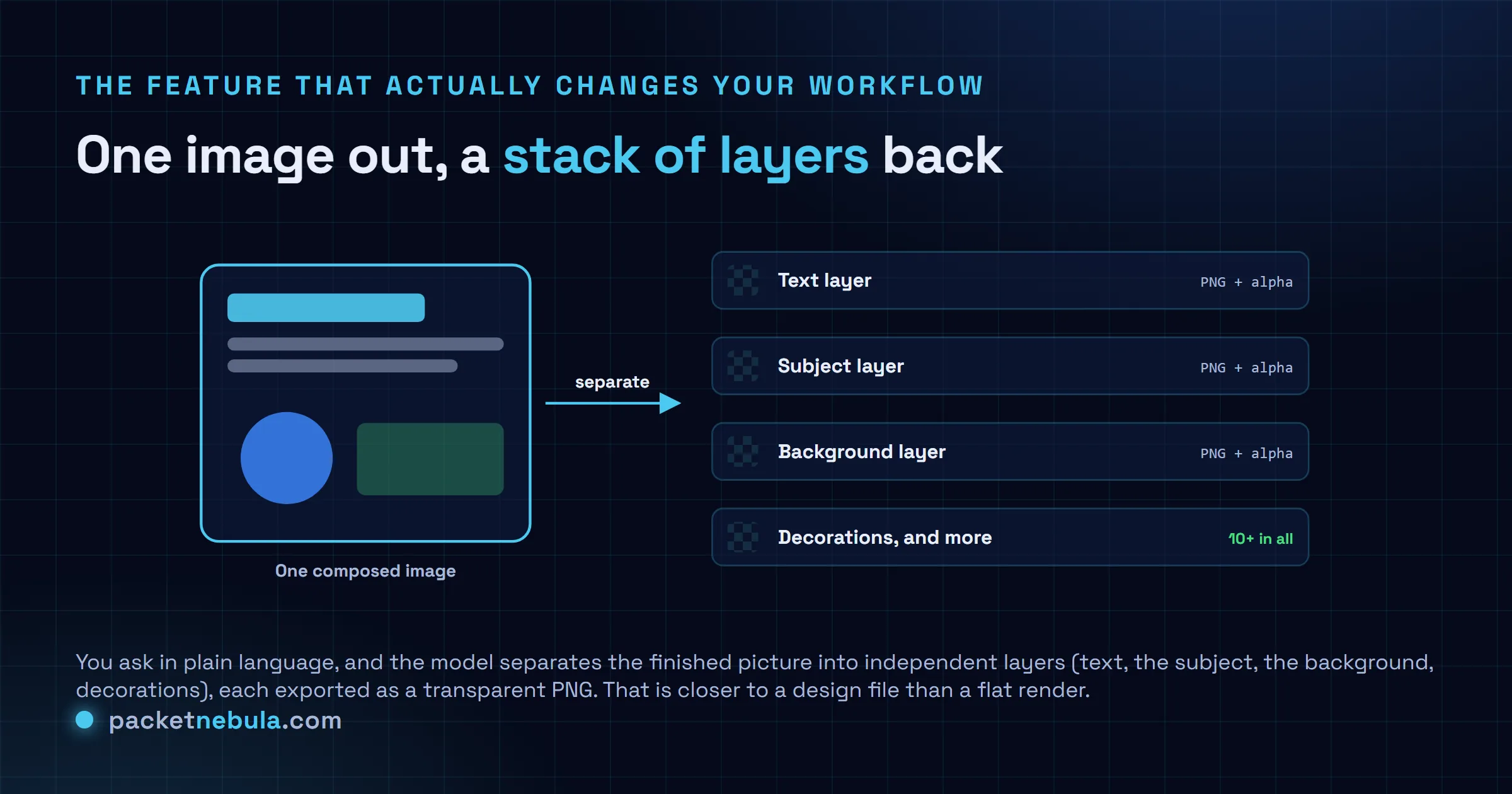
Why does that matter? Because it’s the gap that’s always made generated images annoying to actually use. A flat render is take-it-or-leave-it. Move the logo, swap the headline, recolor the background, and you’re re-rolling and hoping. Layers mean you open the result in whatever you already use and nudge one thing without touching the rest. This is the first version of “AI image model” that behaves like it’s heard of a design team.
Region editing, without re-rolling
Layers are the big one, but the editing controls underneath are the same idea at a finer grain. Seedream 5.0 Pro takes point, box, and lasso selection, plus sketches and color swatches. You mark or describe the one element that’s wrong, and it modifies just that, keeping the lighting, textures, and composition of everything else intact.
That’s the daily-driver feature. Not the flashy demo, the boring one you’d use forty times a day. If a single word in a headline is off, you fix the word instead of gambling on a fresh generation that changes the whole layout.
ByteDance also leans hard on high-density visualization, the dense infographic look with charts and data tables baked into one image. This is one of their own sample outputs:
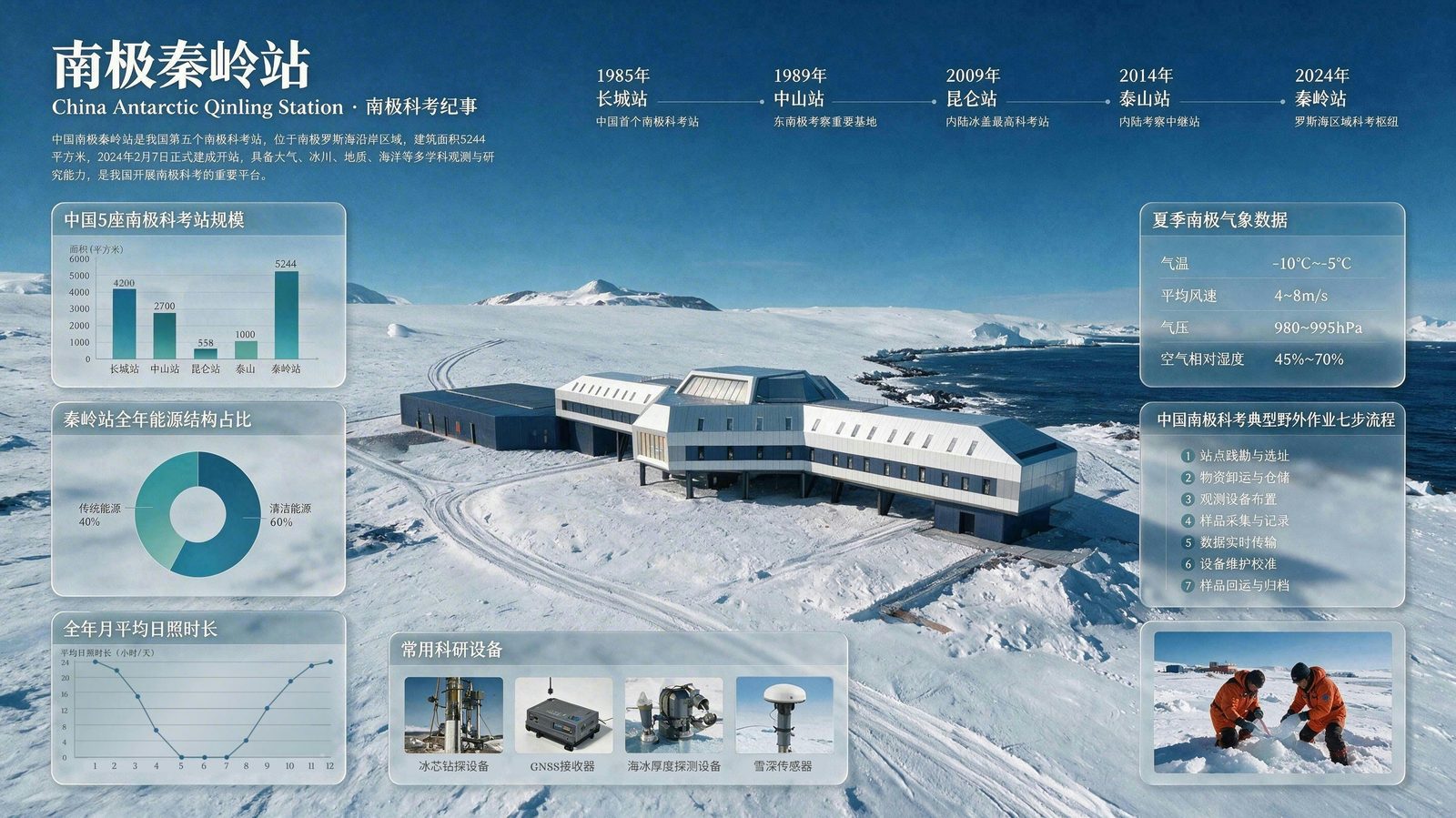
Image: ByteDance Seed. Official Seedream 5.0 Pro sample output.
Bar chart, donut, line graph, a timeline, a data table, photo insets, all in one shot with legible text. That’s the sort of layout that used to take a designer an afternoon. Worth saying the quiet part though: a curated launch sample is a best case, not a promise. We’d want to run our own messy prompts before trusting it on a real deadline.
The multilingual text part
Text has been the long-running embarrassment of image models. Garbled letters, invented glyphs, the works. Seedream 5.0 Pro claims native in-image text across more than ten languages, and ByteDance names Chinese, English, French, German, Russian, Japanese, Korean, Spanish, and Arabic, with right-to-left layout handled for the Arabic. Some hosting platforms push the count as high as fifteen.
One practical note that keeps coming up in hands-on writeups: it renders text most reliably when you spell the exact words in the prompt, in quotes, rather than implying them. Imply it and you’re back to typo roulette. Spell it out and it mostly holds.
The benchmark claims, read skeptically
Now the numbers, and the asterisk on all of them. ByteDance says its internal cross-industry testing puts Seedream 5.0 Pro slightly ahead of Nano Banana 2 overall, while pricing it 11 to 55 percent under Nano Banana Pro and up to 4.7 times cheaper than GPT Image 2 High.
Read that as a launch claim, not a result. It’s internal, self-reported, and the model only landed on July 8, so independent, apples-to-apples testing against Nano Banana Pro and GPT Image 2 is still catching up. We’ve watched this movie before with fast-moving labs shipping strong self-graded charts, the same caveat we put on Tencent’s open 295B Hy3 model: the vendor’s own win rate is a starting point, not a verdict.
Where it slips
It’s not magic, and the third-party testers are already finding the seams. Complex Chinese text still trips it up. Fine interface details, the kind of thing you’d want for a real UI mockup, come out soft. And character consistency across a multi-image set, keeping the same person looking like the same person from shot to shot, remains a weak point. That last one matters if you’re making anything sequential, a comic, a storyboard, an ad series.
The photoreal side, to be fair, is genuinely strong. Skin, lighting, motion blur, this is another of their samples and it holds up:

Image: ByteDance Seed. Official Seedream 5.0 Pro sample output.
So it’s uneven, which is normal for a fresh release. The portraits and the layouts are the strong suit. Long strings of dense non-Latin text and cross-image consistency are where you’ll hit walls.
Should you reach for it
If you make marketing images, ad creative, or anything that needs a second pass in an editor, the layer export alone is worth a trial. That feature is doing something the flat-render crowd isn’t, and it’s cheap enough per image that testing it costs you almost nothing. Roughly $0.045 an image at 1.5K on the API, a touch more at 2K, and rates shift a little by host.
If you need bulletproof text in a tricky script, or the same character across a dozen frames, keep your expectations low and test before you commit. And treat the benchmark chart as a claim until someone independent reruns it. For the wider picture on how these releases keep landing faster than anyone can verify them, our DeepSeek V4 breakdown walks through the same “ship first, prove later” pattern. Seedream just happens to have shipped a feature that’s actually hard to argue with.
Sources: ByteDance Seed’s official Seedream 5.0 Pro announcement for the July 8 launch, the four core capabilities, the layer-separation detail, and the language list; TestingCatalog for the editing controls and platform availability; and a hosting provider's review write-up, since taken offline, for the resolution-tier pricing and the third-party hands-on limitations; treat those two points as unconfirmed until ByteDance publishes them. Benchmark and win-rate figures are ByteDance-reported and not yet independently reproduced. Both sample images are ByteDance’s own launch outputs.
Frequently asked questions
What is Seedream 5.0 Pro?
It's ByteDance's pro-tier image generation and editing model, released July 8, 2026, sitting above Seedream 5.0 and 5.0 Lite. It does text-to-image and image-to-image, but the headline features are region-precise editing, layer separation, and native in-image text in more than ten languages.
What actually makes Seedream 5.0 Pro different?
Layer separation. On request it splits one finished image into more than ten independent layers, text, subject, background, and decorations, each exported as a transparent PNG and with the areas it hid painted back in. That turns a flat render into something closer to a design file you can keep editing.
How many languages does it handle for in-image text?
ByteDance says more than ten commonly used languages, and it names Chinese, English, French, German, Russian, Japanese, Korean, Spanish, and Arabic, including right-to-left layout. Some hosting platforms list as many as fifteen. Text renders most reliably when you spell the exact words in the prompt rather than implying them.
How much does Seedream 5.0 Pro cost?
It's billed per image by resolution on the API: roughly $0.045 per image at 1.5K and $0.09 at 2K, though exact rates vary by host (Vercel's AI Gateway, for example, lists about $0.04 per generated image). Cheap for the tier, and ByteDance claims it undercuts the closest rivals by a wide margin.
Where can I use it?
Through Dreamina (dreamina.capcut.com), ByteDance's own creative app, and via API on Volcano Engine, BytePlus ModelArk, and fal. Third-party hosts including Runway and Magnific carry it too, so you don't have to touch the ByteDance stack directly if you'd rather not.


