




So you switched DMARC on, and now google.com mails you a little .xml.gz file every morning. You open one, meet a wall of nested tags, and quietly close it again. We've all done that. Here's the part worth knowing first: a DMARC aggregate report is just a daily roll-call of every server that sent mail as your domain, with a pass or fail beside each one. Six fields carry the whole story and the rest is packaging. Read a week of them and you learn something a little uncomfortable, which is who is actually sending email under your name. Your mail server, fine. Also a billing tool from 2019, and every so often a stranger trying you on. This is how you read one without the dread.
The short answer
It’s a daily XML file from the big mailbox providers. Each one lists the servers that sent mail as your domain the day before, how much each one sent, and whether DKIM and SPF passed and lined up with your visible From address. You read them for a single reason: to be sure every real sender of yours authenticates before you ever turn the policy up to reject. The surprise failures are the other half of the job.
The file that lands every morning
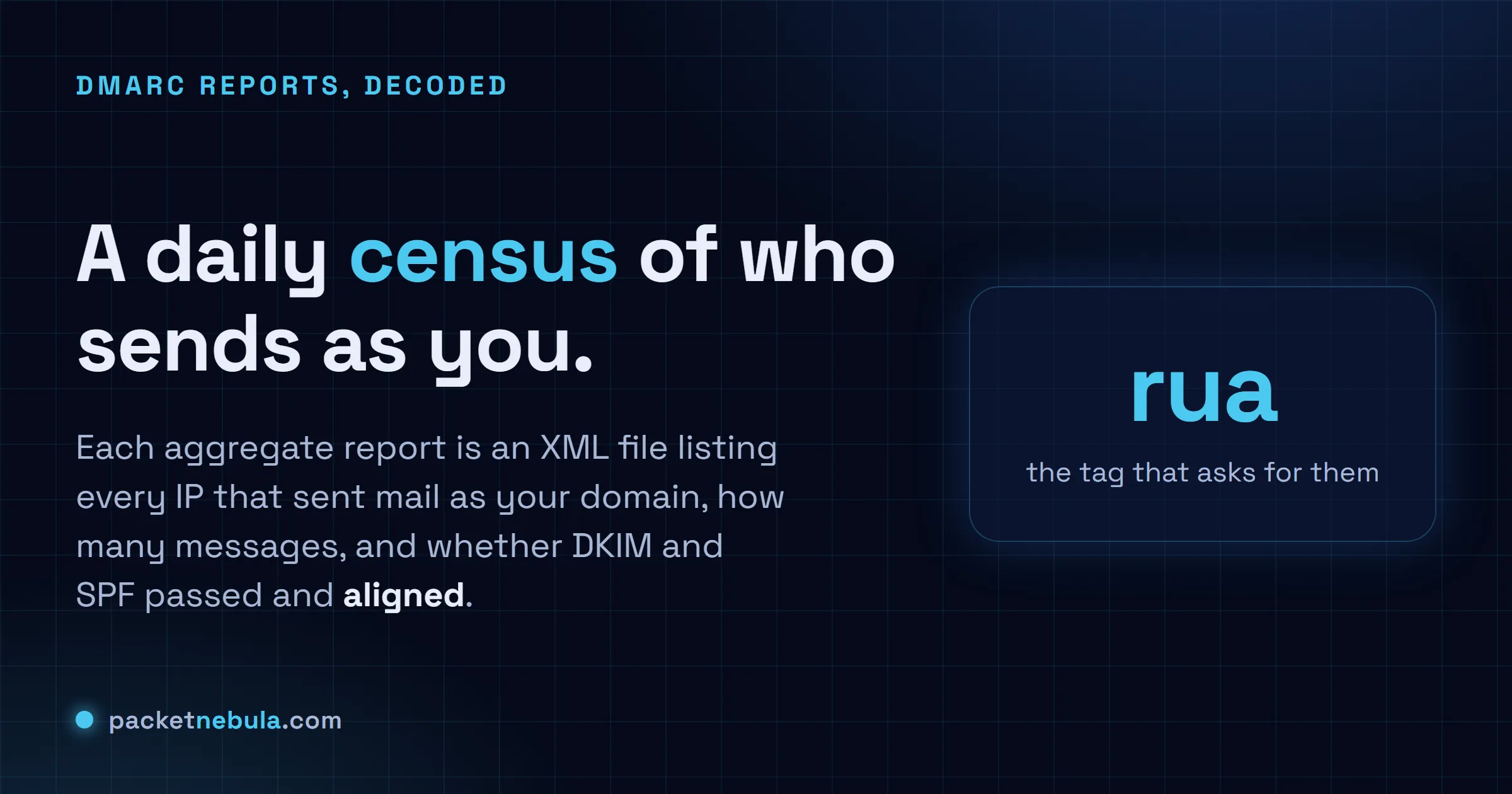
Publish a DMARC record with a rua address and you have, in effect, asked every mailbox provider on the planet to mail you a daily report. They do. Each morning Gmail, Microsoft, Yahoo and a long tail of smaller receivers send an XML file describing the mail they saw claiming to come from you. That file is the aggregate report, and it’s the one that matters.
Quick reassurance on what it is not. It’s not anyone’s actual email; these reports carry counts and metadata, never message bodies. And it’s not live. Each file covers a window that already closed, usually yesterday. They tend to land gzipped, with names like google.com!yourdomain.com!1718841600!1718928000.xml.gz, where those two long numbers are the start and end of the window in Unix time. Unzip it, get plain XML.
(There’s a second kind too, the forensic or ruf report, per message and heavily redacted. Almost nobody sends them anymore. Forget they exist.)
Not sure where yours are even going? It’s whatever address sits after rua= in the record. Pull it up with a quick DNS lookup on _dmarc.yourdomain.com, or let the SPF, DKIM and DMARC checker lay the whole policy out for you.
One record, read out loud
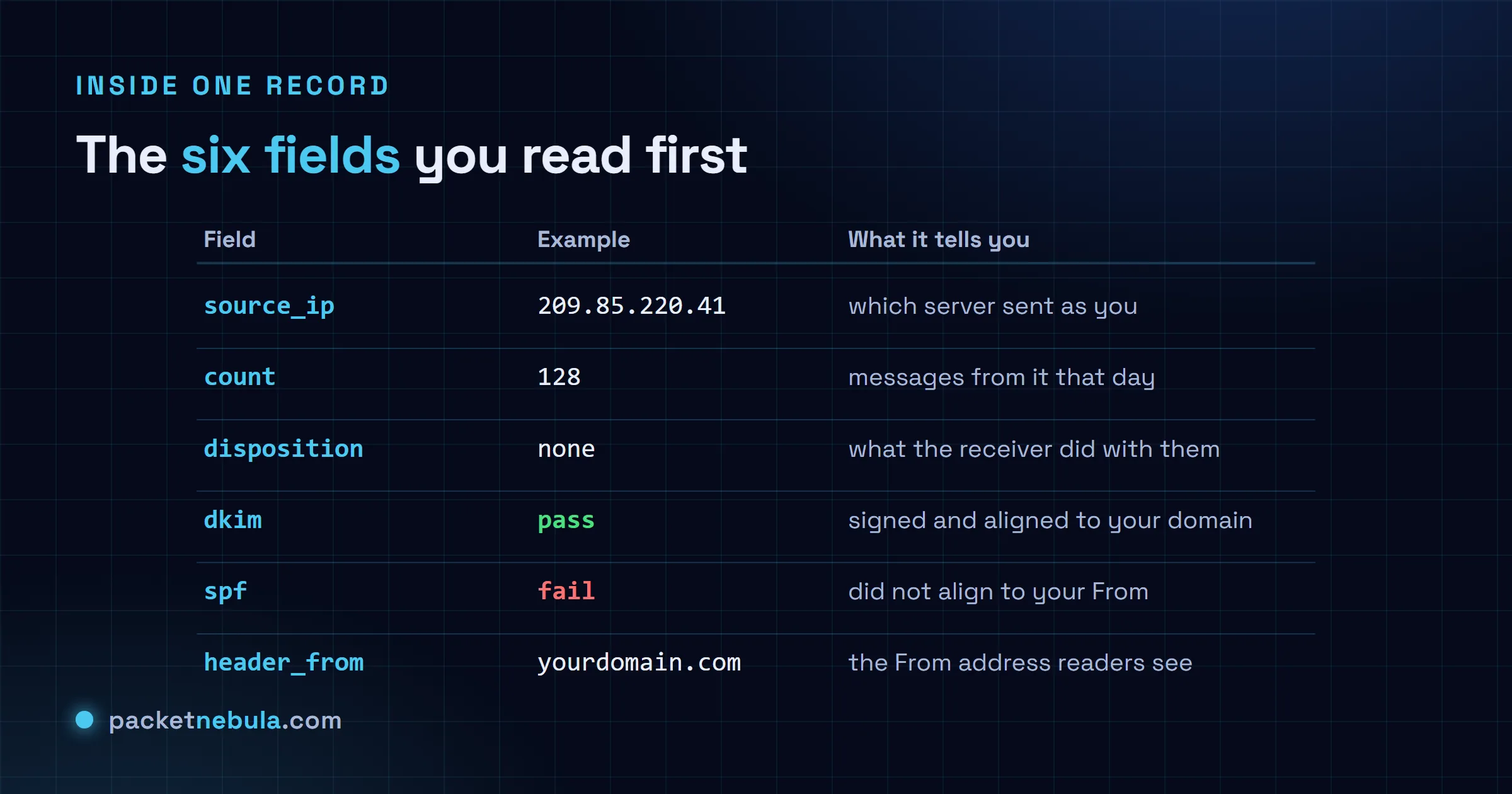
Skip past the opening. Every report starts with a report_metadata block (who sent it, what window) and a policy_published block (the policy you had live, p=none and the alignment settings). Glance and move on. The meat is the run of record elements after it, one per sending source. Trimmed down, a single record looks like this:
<record>
 <row>
 <source_ip>209.85.220.41</source_ip>
 <count>128</count>
 <policy_evaluated>
 <disposition>none</disposition>
 <dkim>pass</dkim>
 <spf>pass</spf>
 </policy_evaluated>
 </row>
 <identifiers>
 <header_from>yourdomain.com</header_from>
 </identifiers>
 <auth_results>
 <dkim><domain>yourdomain.com</domain><result>pass</result><selector>s1</selector></dkim>
 <spf><domain>mail.yourprovider.net</domain><result>pass</result></spf>
 </auth_results>
</record>
Read it like a sentence. One IP, 209.85.220.41, sent 128 messages that day signed as yourdomain.com. DMARC came back pass on both DKIM and SPF, so the receiver took the none disposition and just delivered them. Down in auth_results you get the why: DKIM signed under your domain with selector s1, SPF passing under your provider. That’s a clean record. You want every row to be this boring.
The row that earns a second look is the same shape with ugly values: an IP you don’t recognise, a count in the thousands, dkim and spf both reading fail. Now you’ve got a question to answer. Forgotten sender of your own, or somebody wearing your domain? Telling those two apart is more or less the whole job.
The two words that trip everyone: disposition and alignment
Two fields cause most of the confusion, so slow down here.
Disposition is what the receiver did with the mail, full stop. none delivered it, quarantine dropped it in spam, reject bounced it. It tracks whatever policy you published. Sit at p=none and every disposition reads none, no matter how badly the checks failed. That’s deliberate. You’re watching, not enforcing yet.
Alignment is the slippery one, and it explains the single most common “wait, what” in the whole system: a row where SPF says pass and DMARC fails anyway. SPF authenticates the envelope sender, the hidden bounce address, and that very often belongs to your email provider rather than to you. DMARC doesn’t care that some domain passed. It cares that the domain which passed matches the header_from your readers actually see. Pass SPF as mail.yourprovider.net while the From line says yourdomain.com, and they don’t line up, so DMARC fails. Which is exactly why an aligned DKIM signature is the steadier bet: the signing domain is yours, so it matches the From by default. The policy_evaluated block hands you the aligned verdict, auth_results shows the raw checks under it, and when those two seem to argue, alignment is your answer.
Turn it into a to-do list
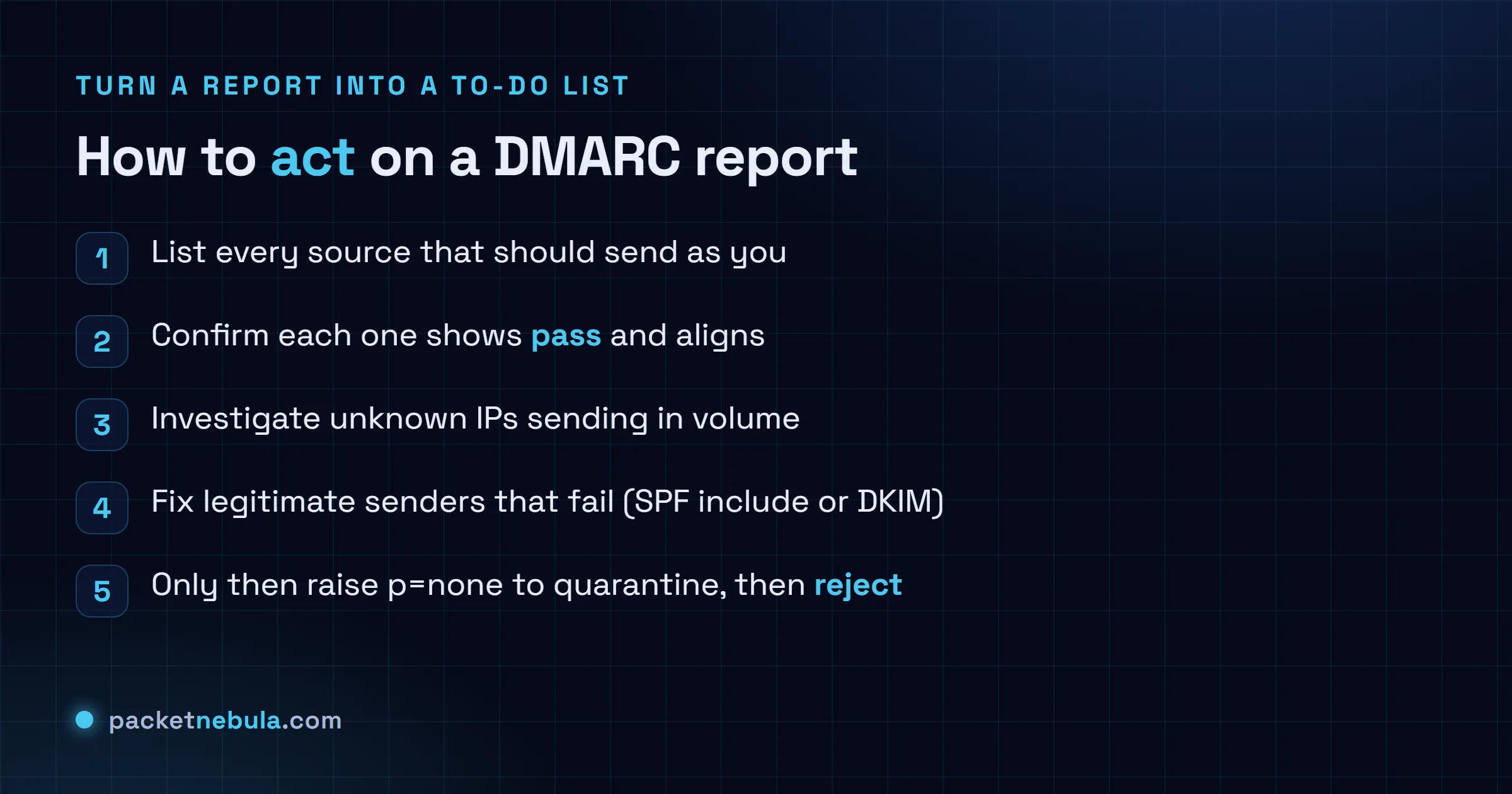
All of this feeds one slow, careful rollout, which is the only reason the reports exist in the first place. Start at p=none. Read a fortnight of files. Write down every source that is supposed to send as you: the mail server, the marketing platform, the helpdesk, the invoicing thing, that one cron job on a box you’d half forgotten about. Check each one passes and aligns. Where a real sender fails, fix it where it lives, usually by adding it to your SPF record or switching on the provider’s DKIM, then watch the next day’s reports to see the fix take.
Only once every known sender is green do you tighten the screw: p=quarantine first, often with a pct value to ease into it, then p=reject.
And one trap that sounds too obvious to write down, except people fall into it constantly. A screen full of “100 percent pass” is not the finish line on its own. It only tells you everything currently sending is authenticating. If you have not actually named each passing source, you might be cheerfully authenticating a sender you don’t control. Pass and recognised. That’s the bar.
At a trickle you can do the whole thing by eye, squinting at XML over coffee. To read one report right now without the squint, paste it into our DMARC report parser: it lays the record out as a table in your browser, pass or fail and aligned or not, with nothing uploaded. Once the files arrive by the dozen and you want them ingested and stored on a schedule, that is the job for heavier tooling like the open-source parsedmarc. The loop doesn’t change either way. See who’s sending as you, fix the ones that ought to pass, and keep going until the only thing still failing is mail you’re happy to bounce.
Frequently asked questions
What is the difference between a DMARC aggregate and forensic report?
Aggregate reports, the ones at your rua address, are daily XML summaries: per sending IP, how many messages, pass or fail, and no message content. Forensic reports (ruf) are per-message and redacted, and barely anyone sends them now, so for all practical purposes you live in the aggregate ones.
How often do DMARC reports arrive?
About once a day from each provider that bothers. Gmail, Microsoft and Yahoo each send their own, so a domain with real traffic picks up several a day, each covering its own 24 hour window. A quiet domain might see a few a week.
What does disposition none mean in a DMARC report?
It means the receiver delivered the message as usual despite the result, because your policy is still p=none. That is the whole point of the observation stage: you collect the data without breaking any mail. Move to quarantine or reject and the disposition field starts showing that enforcement on failing messages.
Why does SPF pass but DMARC still fail?
Alignment. SPF checks the hidden envelope sender, which often belongs to your email provider, not to you. DMARC also wants the domain that passed to match the From address your readers see, and when those two differ it fails anyway. An aligned DKIM signature is usually the steadier route, because the signing domain is your own.
Do I need a paid tool to read DMARC reports?
Not for a small domain. The XML reads fine by hand once you know the six fields, and a quick records check confirms the setup. When the files start arriving by the dozen, a parser earns its keep: a hosted dashboard, or the free open-source parsedmarc, just so you are not opening gzip attachments all day.