• Latest
  • Trending
  • All
Answer card: nslookup on any OS, dig on Linux and macOS, dig +short for just the answer, and @8.8.8.8 to query a specific resolver.

How to do a DNS lookup from the command line

3 September 2026
Answer card stating that Qwen3.8-Omni-Flash launched on 17 September 2026 as an API only model on Alibaba Cloud Model Studio, taking text, images, audio and video in a 1M token context and returning text only, priced at 0.15 dollars per million input tokens for every modality and 0.47 dollars per million output tokens in the international regions, with no open weights published and the Qwen-Live Harness GitHub repository returning 404.

Qwen3.8-Omni-Flash bills audio at $0.15 and ships no weights

18 September 2026
Answer card stating that on 15 September 2026 AWS said it is unable to restore access to resources and data hosted exclusively in the Middle East Bahrain region me-south-1 and in the mec1-az2 zone of the UAE region, because the damage spanned multiple Availability Zones and exceeded what multi-AZ services are designed to withstand.

AWS can’t restore me-south-1, six months after the drone strikes

17 September 2026
Answer card stating that Google released Gemini 3.8 Live and Gemini 3.8 Live Extended Thinking on 15 September 2026 at 3 dollars per million audio input tokens and 12 dollars out, that the thinking model requires asynchronous tools, and that Artificial Analysis scores it 82.6 on its Speech to Speech Quality Index.

Gemini 3.8 Live Extended Thinking rejects any tool that blocks

16 September 2026
Answer card summarising the Atria Dawn Preview release: 744B GLM-5.2 base, MIT licence, 1.5 TB BF16 and 756 GB FP8 checkpoints, 256K context, top on five of sixteen benchmark rows and trailing on SWE-bench Pro.

Atria Dawn Preview is 744B under MIT, and the BF16 weighs 1.5 TB

15 September 2026
Answer card stating that OpenAI released the Agents API in public beta on 10 September 2026 with no separate fee, billed through model tokens, tool calls and hosted sandbox time, with a choice of OpenAI hosted, self hosted or partner sandboxes, US only data residency and no Zero Data Retention support.

OpenAI’s Agents API has no fee, no ZDR and a one hour sandbox clock

14 September 2026
Answer card: Sakana Fugu Max at $2 and $6 per million tokens, Fugu Ultra v2 unchanged at $5 and $30, and Sakana saying Ultra v2 scores without Fable 5 or GPT-6 Astra in its pool.

Fugu Max costs $2 and $6 while Fugu Ultra v2 runs without Fable 5

13 September 2026
Answer card stating that DeepSeek released DeepSeek-V4.1-Flash on 10 September 2026 as a 552 billion parameter mixture of experts model with a new causal encoder decoder architecture that activates 8 billion parameters on input and 16 billion on output, with native vision, a one million token context and MIT licensed weights, that the API model name is now deepseek-flash at 0.15 dollars per million input tokens and 0.60 dollars per million output tokens off peak, and that DeepSeek announced V4 Pro would be routed to V4.1-Flash from 14 September and reversed that on 11 September.

DeepSeek V4.1-Flash arrived, and the V4 Pro retirement lasted a day

12 September 2026
Answer card stating that Cognition released SWE-2 on 10 September 2026, a coding model post-trained from Kimi K3, scoring 50.0 percent on FrontierCode 1.1 Main against 50.9 percent for Claude Fable 5.1 and 27.3 percent on Terminal-Bench 4 against 55.8 percent, available only inside Devin.

SWE-2 trails Fable 5.1 by one point, and by 28 on Terminal-Bench 4

11 September 2026
Answer card for Meta Muse, free to 100 million tokens a week then $20 a month, launched 8 September 2026 for United States adults only, running in a dedicated per user virtual machine.

Does Meta Muse do enough to earn your inbox and a card on file?

9 September 2026
Answer card stating that the public download pages for the VMware Virtual Disk Development Kit on developer.broadcom.com began returning 404 errors on 25 August 2026 with no announcement or deprecation notice, that Broadcom support tells customers the kit is no longer available for use or download, and that release lines 7.0.3.1, 8.x and 9.x are all affected.

Broadcom pulled VDDK 8.0 and 9.0, and the 404 is the only notice

8 September 2026
Answer card stating that OpenAI published its research acceleration measurements on 6 September 2026, that as of mid August 2026 its research organisation logged 3.1 agent workdays of coding agent runtime for every workday of human labour normalised to a standard eight hour day, and that OpenAI states this should not be read as a 3.1 times productivity gain because it measures runtime rather than delivered output.

OpenAI’s 3.1 agent-workdays per human day is not a 3.1x gain

7 September 2026
Answer card stating that Mullvad announced on 3 September 2026 that it is shutting down its public encrypted domain name system servers on 2 November 2026 and sponsoring the Quad9 Foundation instead, with 194.242.2.2 and its five sibling addresses all going away, and virtual private network customers unaffected.

Mullvad’s DNS servers go dark on 2 November, and Quad9 blocks no ads

5 September 2026
  • About
  • Contact
  • Privacy
  • Legal
Friday, September 18, 2026
  • Login
Packet Nebula
  • Home
  • Articles
    • Security
    • Network
    • Dev
    • Sysadmin
    • SEO
    • Email & DNS
  • Tools
    • Network tools: free, fast, no signup
    • Security tools: free, fast, no signup
    • Developer tools: free, fast, no signup
    • Sysadmin tools: free, fast, no signup
    • SEO tools: free, fast, no signup
    • Email & DNS tools: free, fast, no signup
  • Download
  • About
No Result
View All Result
Packet Nebula
No Result
View All Result
Home Network

How to do a DNS lookup from the command line

by stephane
3 September 2026
in Network
0
Answer card: nslookup on any OS, dig on Linux and macOS, dig +short for just the answer, and @8.8.8.8 to query a specific resolver.
495
SHARES
1.4k
VIEWS
Share on FacebookShare on Twitter

You push a DNS change, then sit there wondering if it actually took. Don't wonder, ask: nslookup example.com works on any OS, Windows included, and confirms a name resolves or that a fresh record went live. When we want detail we reach for dig. dig +short example.com prints just the answer, and dig MX example.com or dig TXT example.com pull one record type so you're not wading through the rest. The bit worth memorising is the @ syntax. dig @8.8.8.8 example.com asks a specific resolver and steps around your own cache, which is how we check whether a change has actually propagated. Below: the commands, plus what the output is really telling you.

The short answer

nslookup example.com works everywhere. On Linux and macOS we run dig example.com for the full picture and dig +short example.com for just the answer. Add a type (dig MX example.com) or a resolver (dig @1.1.1.1 example.com).
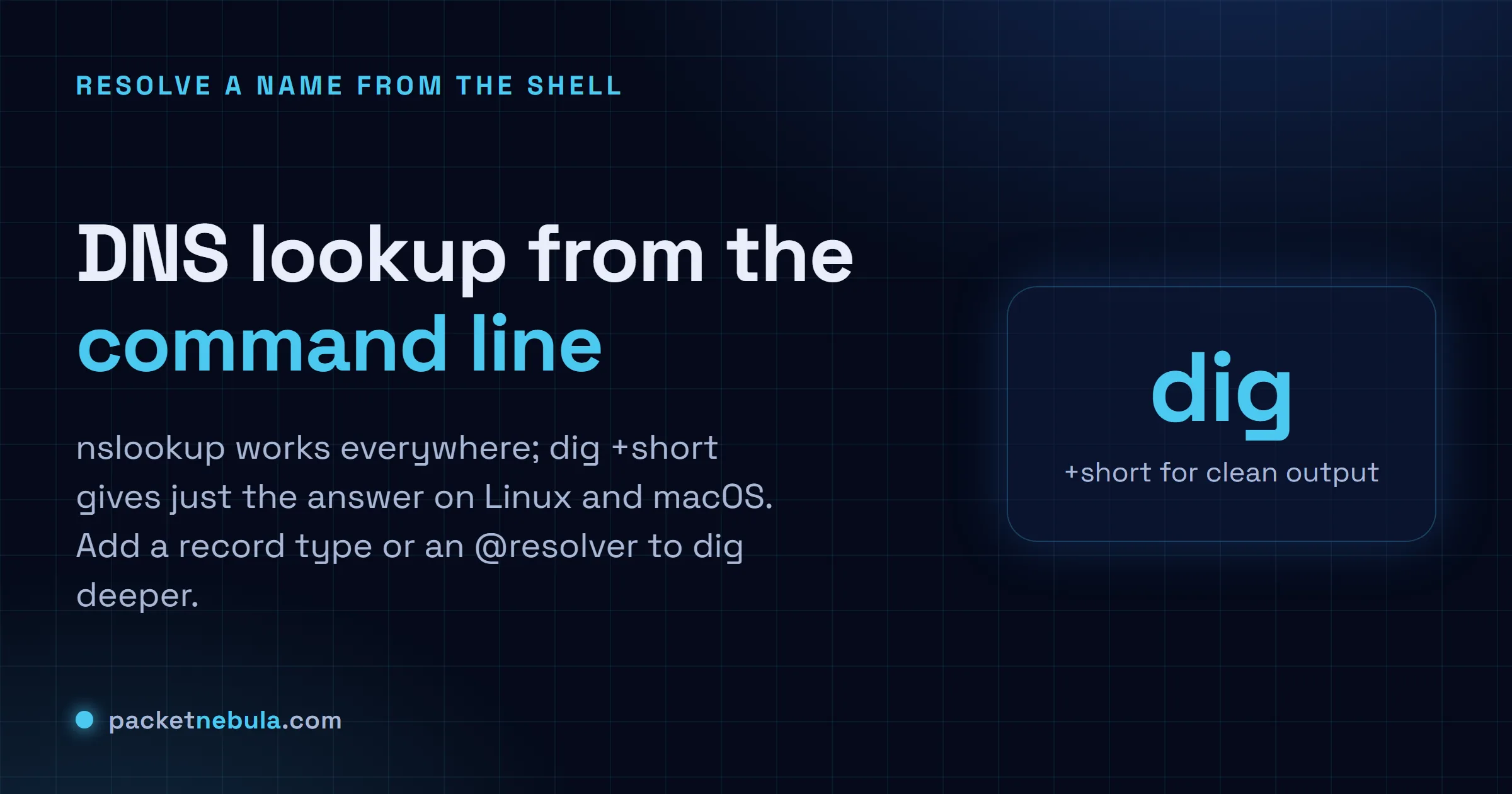
nslookupany OS, including Windows
dig +shortjust the answer, Linux and macOS
@8.8.8.8query a specific resolver
Answer card showing nslookup on any OS, dig and dig +short on Linux and macOS, plus querying a specific resolver with @.
nslookup everywhere, dig for detail, @resolver to bypass your cache.

nslookup for portability, dig for detail

nslookup is on every box we touch, Windows included, and honestly that’s the whole reason we keep it in hand. Give it a name and it prints the addresses, after a couple of lines telling you which server answered. Those first lines are your own resolver, not the result. They trip everyone up once.

Windows
nslookup example.com

On Linux and macOS, dig is the one worth learning. Out of the box it prints a full report with the TTL and the authority section. Gold when you’re debugging. Noise when you’re not. +short cuts it down to just the answer, one value per line:

Linux
dig +short example.com

Ask for one record type

Mail not arriving? Check MX. Chasing an SPF record or a domain-verification string? That lives in TXT. Name the type and dig fetches only that, which beats reading a whole zone to find one line:

Linux
dig MX example.com
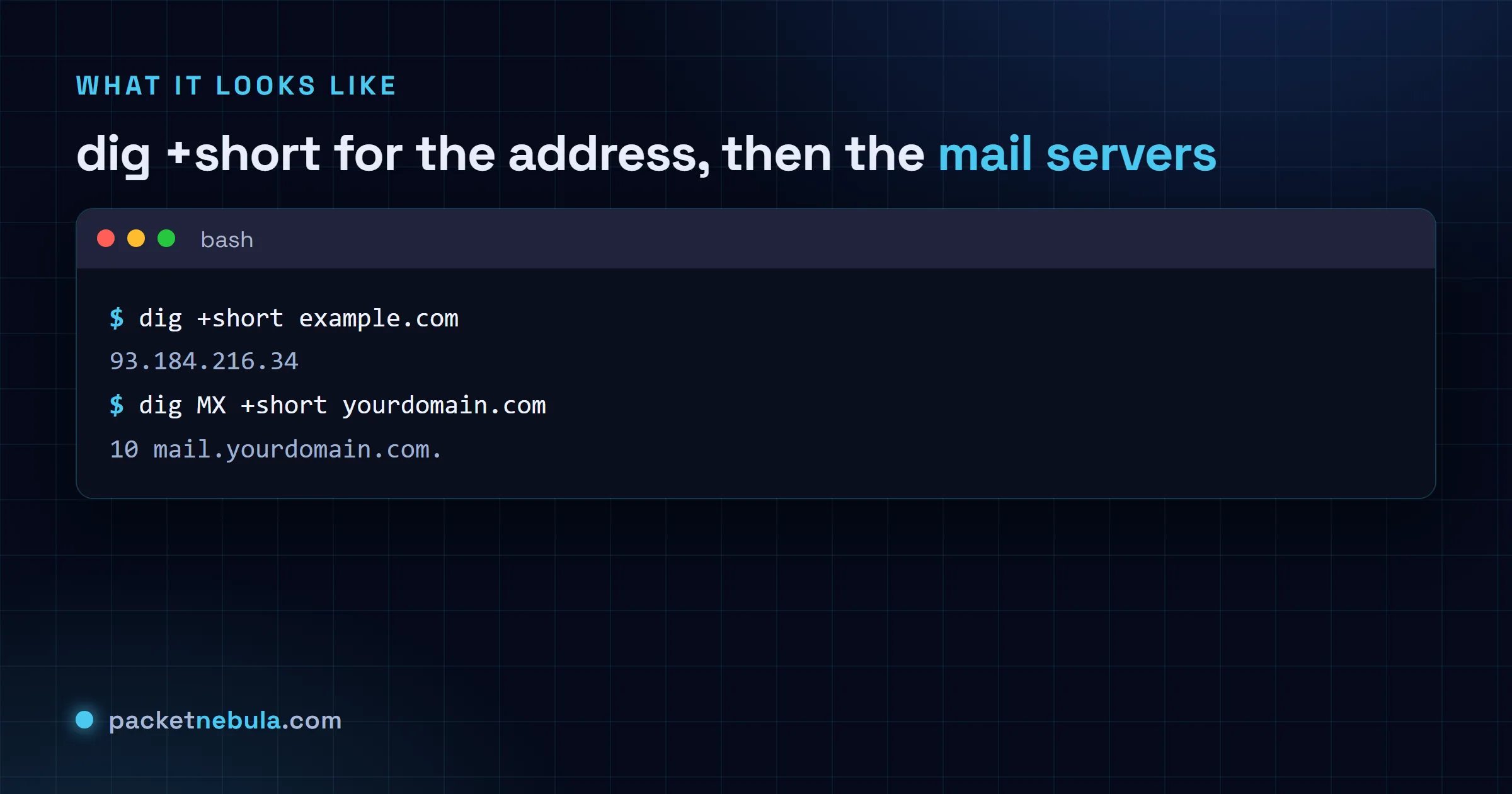
Terminal showing dig +short returning an address, then dig MX listing mail servers with priorities.
dig +short for the address, dig MX for the mail servers behind a domain.

Bypass your cache to check propagation

Point the query at a public resolver with @. If a freshly changed record shows up there but not from your default resolver, you’re just waiting for the old cached copy to expire:

Linux
dig @8.8.8.8 example.com

Prefer clicking to typing? The DNS lookup tool queries every record type in one click, and what DNS TTL means explains the propagation wait.

Three dig habits worth having, because they answer the questions that come straight after "what’s the record".

+short strips everything except the answer, which is what makes dig usable inside scripts. Pointing at a specific resolver with @ is how you tell "my machine is caching" apart from "the change hasn’t published", since you can ask the authoritative server directly and compare. And +trace walks the delegation from the root down, which is the fastest way to find the point where a broken zone stops answering.

Linux and macOS
dig +short A example.com @1.1.1.1
Linux and macOS
dig +trace example.com

One note on nslookup, since it worries people: the "Non-authoritative answer" line it prints is normal. It just means the reply came from a cache rather than from the zone’s own server, which is true of nearly every lookup you’ll ever run.

If you only take one of the two away, make it dig. nslookup is everywhere and it’s fine for a quick answer, but it won’t tell you what you need when a zone is genuinely broken, and that’s exactly when you’re looking.

Frequently asked questions

Should I use nslookup or dig?

nslookup when you just want a quick answer and it's the only tool installed, which on Windows it is. dig when you want detail or you're scripting: it shows the exact records with their TTLs and tells you which server answered, and "dig +short" gives clean output you can pipe. dig isn't installed by default on Windows, so nslookup is the portable choice there.

How do I look up just one record type, like MX or TXT?

Name the type. With dig, "dig MX example.com" pulls the mail servers and "dig TXT example.com" the SPF and verification records. IPv6? "dig AAAA example.com". With nslookup it's "nslookup -type=MX example.com". That's how we debug mail flow or confirm an SPF record without wading through everything else.

What does dig +short do?

It strips the full report down to just the answer values, one per line. "dig +short example.com" prints the IP addresses and nothing else, which is exactly what we want at a glance or in a script. Drop the +short when you miss the TTL and the authority section.

How do I check if a DNS change has propagated?

Query a public resolver directly so you skip your own cache: "dig @8.8.8.8 example.com" asks Google DNS, "dig @1.1.1.1 example.com" asks Cloudflare. New value shows there but not from your default resolver? You're just waiting for the old record cached locally to expire, and that wait is the TTL.

Tags: clidigdnsguidenetworknslookup
Share198Tweet124
stephane

stephane

  • Trending
  • Comments
  • Latest
Answer card: Proton Lumo 2.0 is private by policy, not by locality. Saved history is locked so even Proton cannot read it, but the prompt is decrypted on a Proton EU server to answer it, then forgotten.

Proton Lumo 2.0 review: how private is it, really?

3 September 2026
The Agentic Coding section of the official Hy4 preview benchmark appendix published by Tencent, a table comparing Hy3 and Hy4 preview against DeepSeek V4 Pro 0813, Qwen 3.8 Max, GLM 5.3, Kimi K3, GPT 5.6 Sol and Claude Opus 5 across SWE-bench Multilingual, SWE-bench Pro, DeepSWE, three SWE Atlas tasks, SWE-Marathon, Terminal-Bench 2.1, NL2Repo-Bench, CyberGym, ProgramBench, PostTrainBench and Harbor-Index.

Tencent’s 770B Hy4 tops one benchmark row in 46

3 September 2026
Answer card: Qwen 3.7 Max is API-only and cannot run locally yet; the open Qwen models (Qwen 3.6 27B, qwen3:8b to 32b) run offline via Ollama.

Qwen 3.7 local: what you can actually run offline

22 June 2026
Answer card: JWTs are not encrypted, anyone can read them; the signature proves who issued the token, not who may read it.

Are JWTs encrypted? No, and the difference will bite you

0
Answer card: a random 8 character password falls in under 2 hours offline, while 16 random characters hold for 1.4 trillion years at the same speed.

How long does it take to crack a password in 2026?

0
Answer card: three DNS records decide if your mail lands or bounces; SPF lists allowed senders, DKIM signs messages, DMARC sets the failure policy.

SPF, DKIM and DMARC explained: the records your email needs

0
Answer card stating that Qwen3.8-Omni-Flash launched on 17 September 2026 as an API only model on Alibaba Cloud Model Studio, taking text, images, audio and video in a 1M token context and returning text only, priced at 0.15 dollars per million input tokens for every modality and 0.47 dollars per million output tokens in the international regions, with no open weights published and the Qwen-Live Harness GitHub repository returning 404.

Qwen3.8-Omni-Flash bills audio at $0.15 and ships no weights

18 September 2026
Answer card stating that on 15 September 2026 AWS said it is unable to restore access to resources and data hosted exclusively in the Middle East Bahrain region me-south-1 and in the mec1-az2 zone of the UAE region, because the damage spanned multiple Availability Zones and exceeded what multi-AZ services are designed to withstand.

AWS can’t restore me-south-1, six months after the drone strikes

17 September 2026
Answer card stating that Google released Gemini 3.8 Live and Gemini 3.8 Live Extended Thinking on 15 September 2026 at 3 dollars per million audio input tokens and 12 dollars out, that the thinking model requires asynchronous tools, and that Artificial Analysis scores it 82.6 on its Speech to Speech Quality Index.

Gemini 3.8 Live Extended Thinking rejects any tool that blocks

16 September 2026
  • About
  • Contact
  • Privacy
  • Legal

Copyright © 2026 Stephane Cardon.

Welcome Back!

Login to your account below

Forgotten Password?

Retrieve your password

Please enter your username or email address to reset your password.

Log In
No Result
View All Result
  • Home
  • Articles
    • Security
    • Network
    • Dev
    • Sysadmin
    • SEO
    • Email & DNS
  • Tools
    • Network tools: free, fast, no signup
    • Security tools: free, fast, no signup
    • Developer tools: free, fast, no signup
    • Sysadmin tools: free, fast, no signup
    • SEO tools: free, fast, no signup
    • Email & DNS tools: free, fast, no signup
  • Download
  • About

Copyright © 2026 Stephane Cardon.